
GlasgowClub+

Workout anywhere with GlasgowClub+
Glasgow Club offers over 1,000 fitness classes in our venues across the city every week. Most are led by one of our instructors teaching "in person" and there are a few "virtual" classes where you can follow a video of an instructor. This lets us offer a greater variety and number of classes.
Finally, we have GlasgowClub+ which is our "virtual club" in the Glasgow Club app. Here you can find a variety of classes and workouts led by our fitness class coachers, our gym team, and the popular Les Mills team too.
Tap on a topic below to find out more about GlasgowClub+
Getting started is easy. If you haven't already, download our free Glasgow Club app on your phone or tablet.
To download it now, search for Glasgow Club in your device's app store or on your phone/tablet tap: https://myglasgowclub/app
Now add GlasgowClub+ to your list of "clubs" - here's a step-by-step:
-
Tap ☰
Menu (top-left) -
Tap 🤍
My Clubs (left) -
Tap +
Add (top-right) -
Tap GlasgowClub+
In the list of venues
Use the steps above to add any other venues you want (remember membership lets you use them ALL) and tap the menu (three lines) then My Clubs to switch between them anytime.
As long as you're logged into the app and have a paid membership with Glasgow Club you can enjoy any of the videos in GlasgowClub+ whether our own On Demand workouts or classes from Les Mills.
Just chooose from Glasgow Club's own On Demand classes or Les Mills classes, then select a program, choose a video and tap the "play" button.
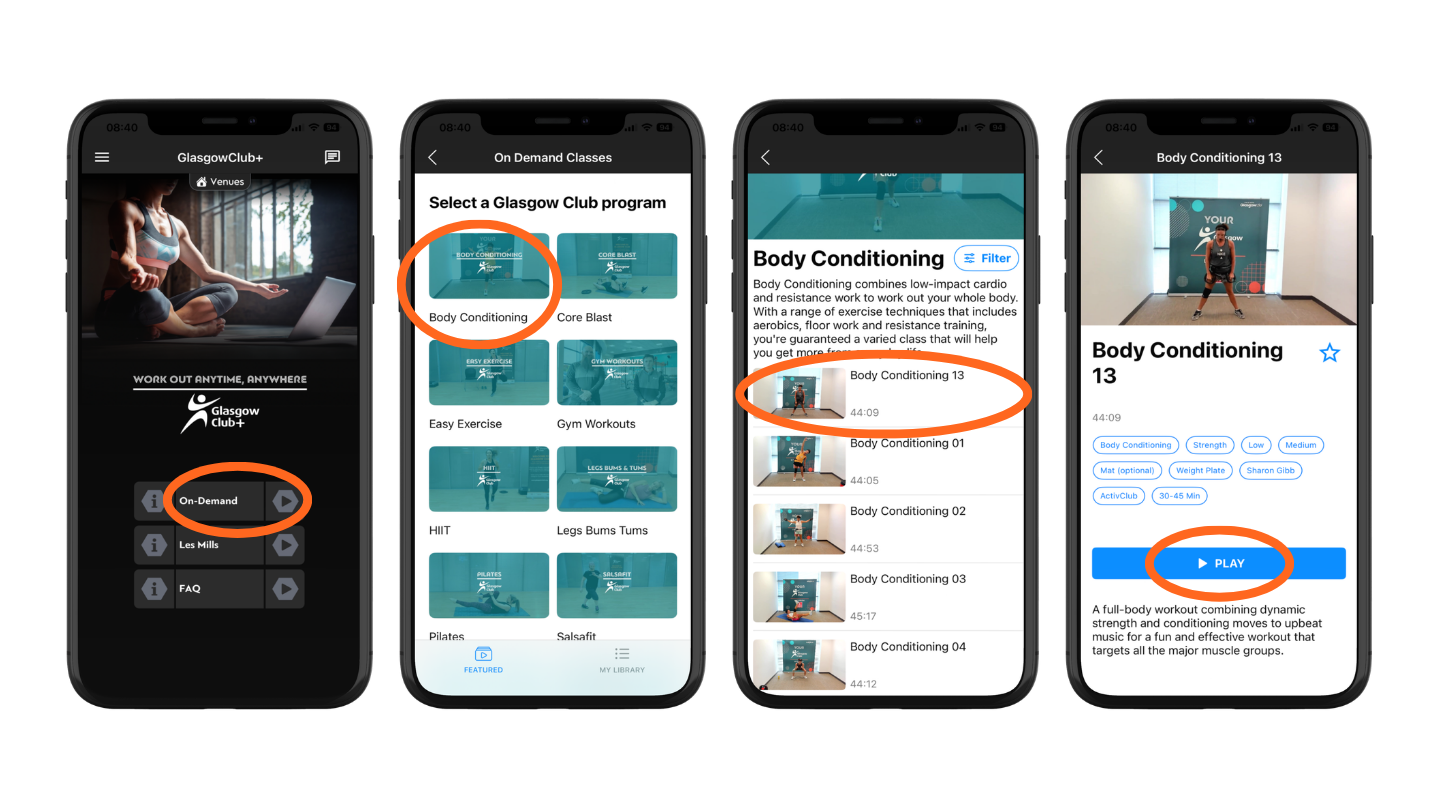
View full-screen on your phone or tablet
Select a video and tap the Play button (see below)
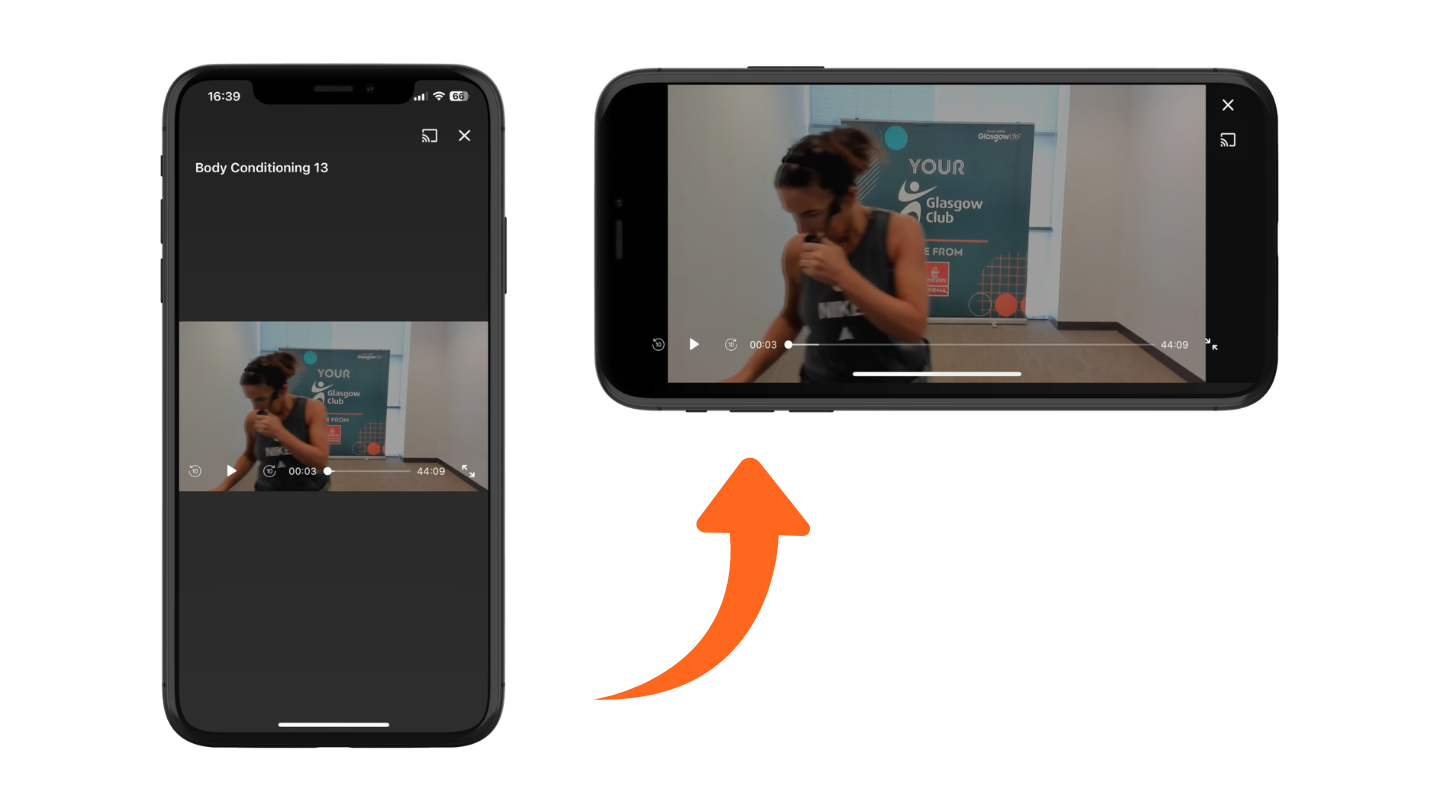
Now rotate your phone into landscape orientation to make the video fullscreen
Casting to a smart TV, laptop or other device
When viewing a video tap the Cast button (see below) 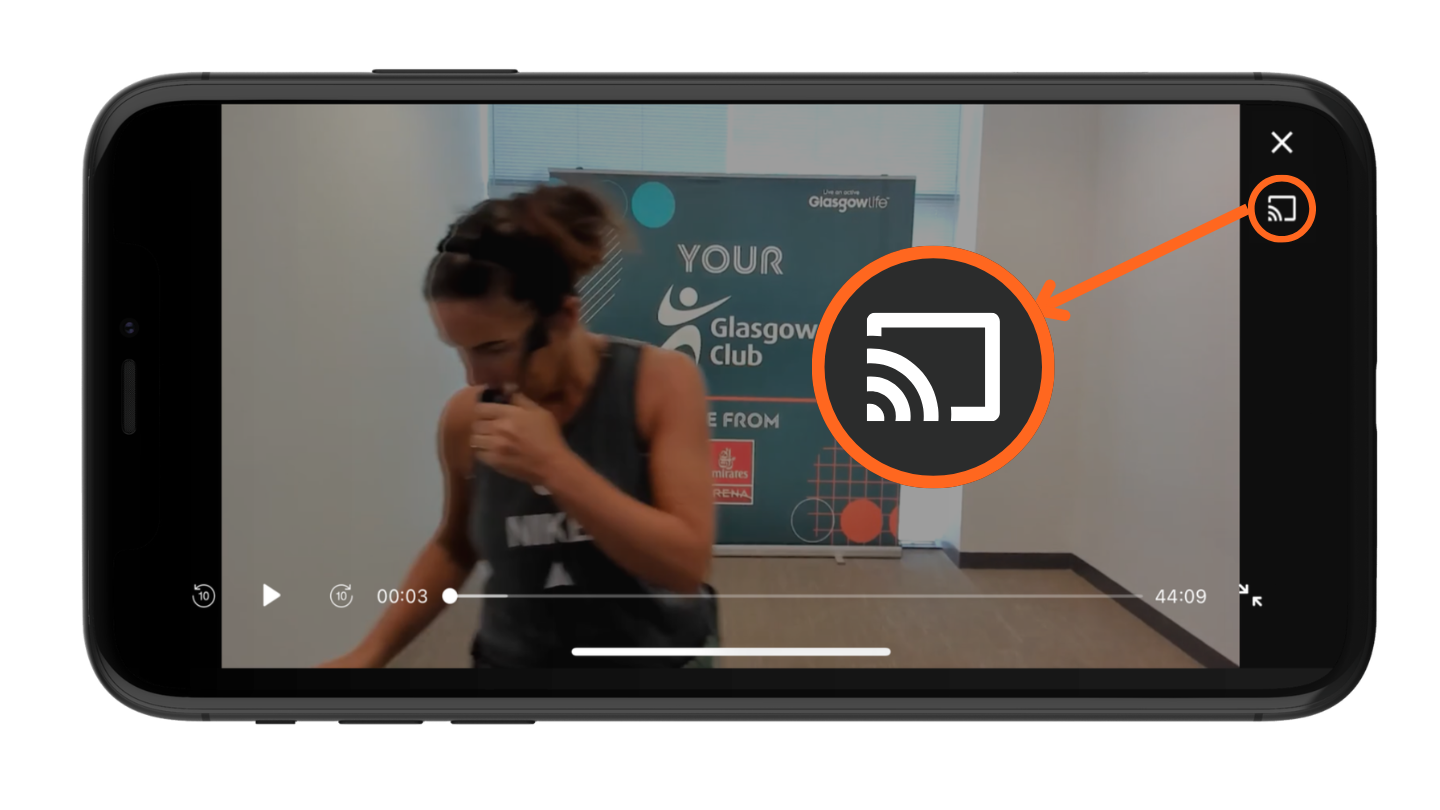
Now choose AirPlay & Bluetooth Devices from the menu 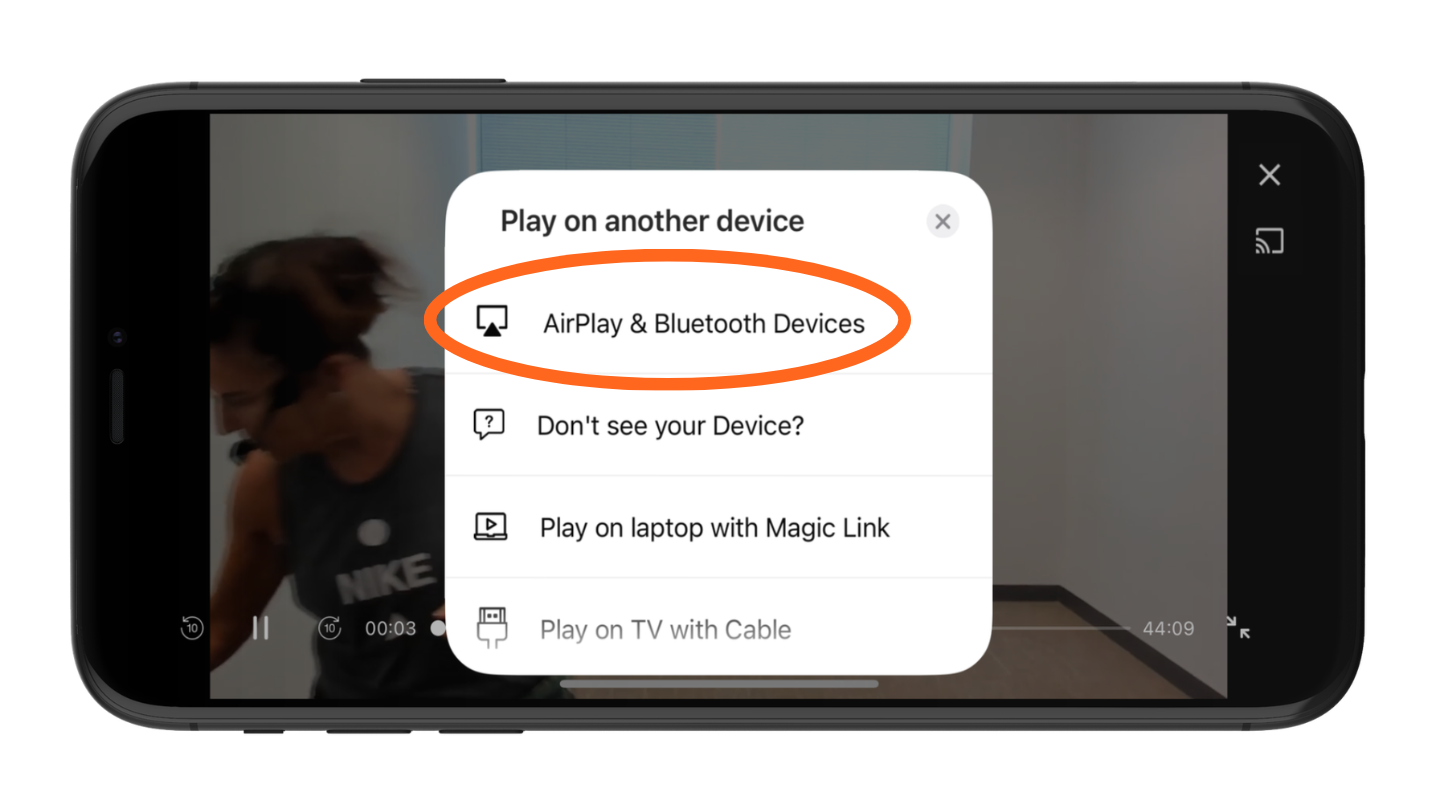
Tap the name of the TV or other device you want to cast to.
There are other options in the menu to help troubleshoot issues, share to a laptop or guidance on connecting your phone to a TV with a cable if it doesn't offer AirPlay or Bluetooth connectivity.